Updated for current SAT and ACT calculator policies and digital testing
Choosing the right calculator for the SAT or ACT can make a meaningful difference in how confidently and efficiently a student approaches the Math section.
Today, students have more options than ever. Both the digital SAT and digital ACT provide access to Desmos, a powerful graphing calculator built directly into the testing platform. Students may also bring an approved handheld calculator, giving them the flexibility to use the tool they know best.
Calculator rules can change, so students should always confirm that their device is permitted before test day.
You can review the official calculator policies here:
Official SAT Calculator Policy
Official ACT Calculator Policy
So, which calculator should you use?
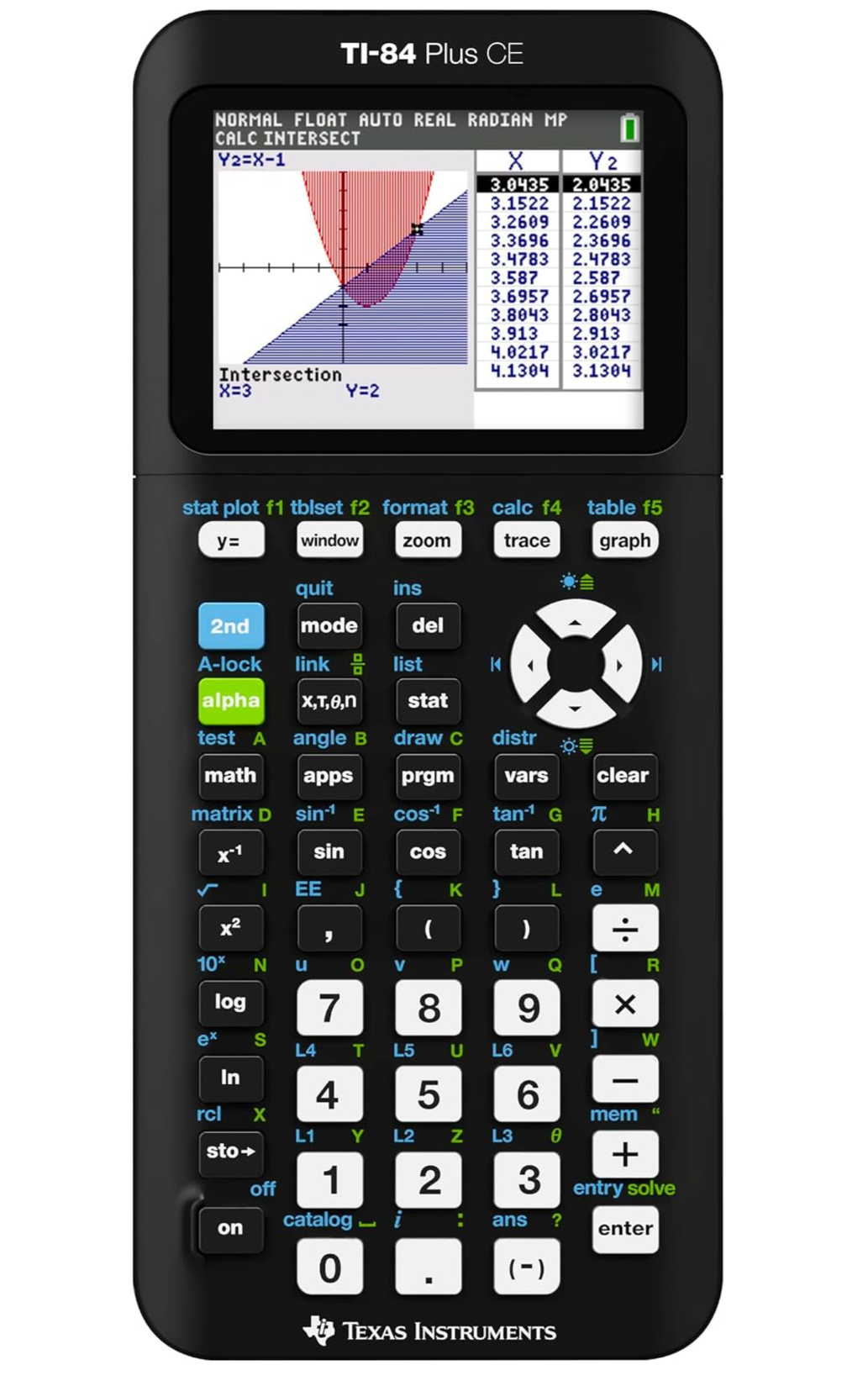
For most high school students, my top recommendation is the TI-84 Plus CE. It combines powerful graphing capabilities with a familiar interface, rechargeable battery, and color display. It can support students not only on standardized tests but throughout Algebra, Geometry, Precalculus, Calculus, Statistics, and many college-level courses.
My Top Recommendation:
TI-84 Plus CE
Best Overall
The TI-84 Plus CE is my favorite all-around calculator for students preparing for the SAT or ACT.
One of its biggest advantages is familiarity. Many students use the TI-84 family throughout their high school math courses, so they can become comfortable with the calculator long before test day.
The TI-84 Plus CE can graph equations, create tables, perform statistical calculations, evaluate functions, and handle the majority of calculations students encounter in high school mathematics and standardized testing.
The CE model also improves on the traditional TI-84 Plus with:
A full-color backlit display
A rechargeable battery
A slimmer and lighter design
Clearer graph visualization
Powerful tools for Algebra, Trigonometry, Statistics, and Calculus
For students planning to take advanced high school math, I view the TI-84 Plus CE as more than a test-prep purchase. It is a tool that can support them throughout high school and into college.
Other Calculators Worth Considering
TI-84 Plus
Best Value Graphing Calculator
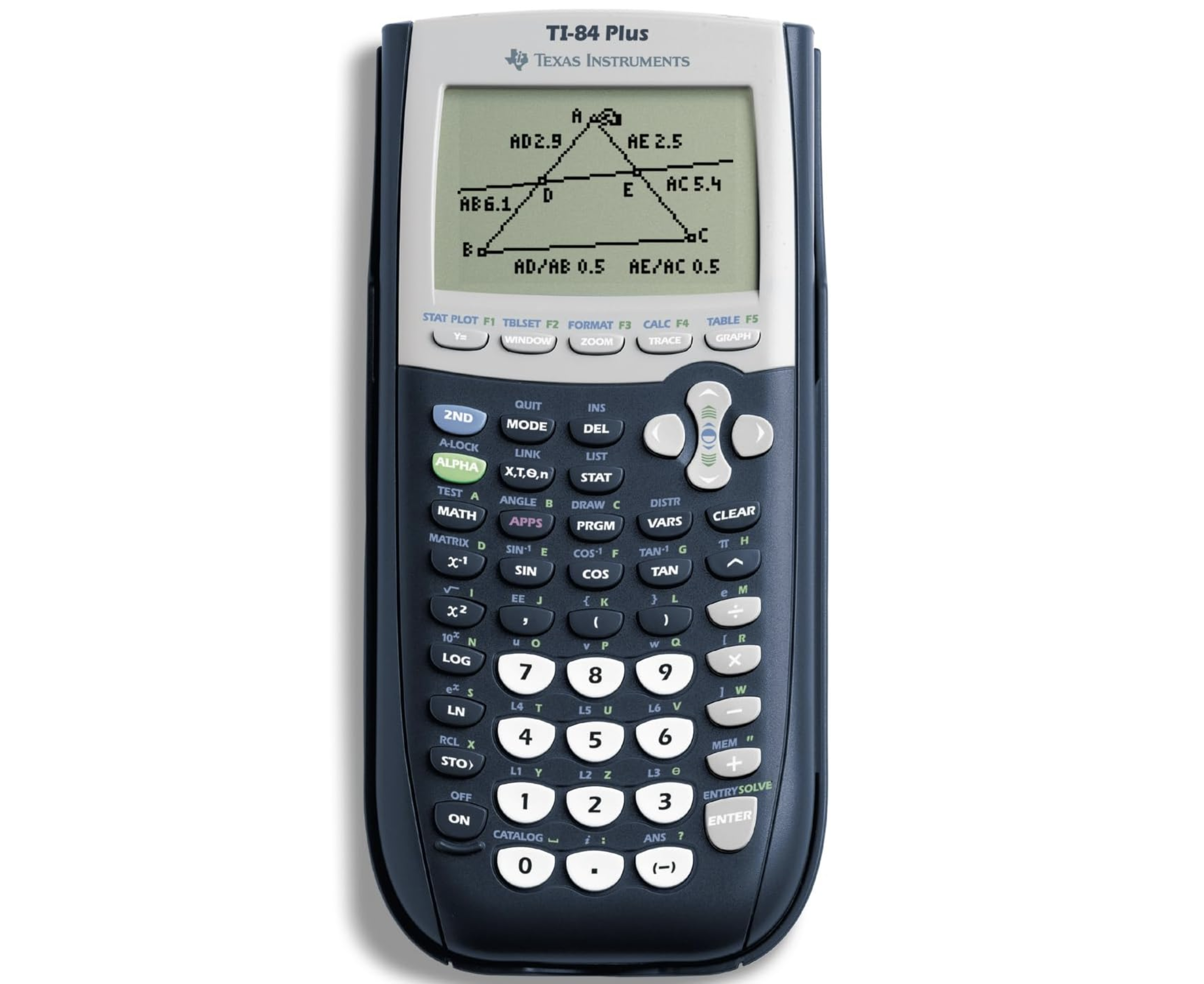
The traditional TI-84 Plus remains an excellent calculator for high school math and standardized testing.
Its functionality is very similar to the TI-84 Plus CE, but it uses a monochrome display and replaceable AAA batteries rather than the CE's color screen and rechargeable battery.
The TI-84 Plus is useful for:
Algebra
Geometry
Trigonometry
Precalculus
Calculus
Statistics
SAT and ACT Math
For students who already own a TI-84 Plus and know how to use it well, there is usually little reason to replace it solely for the SAT or ACT.
TI-83 Plus
Best If You Already Own One
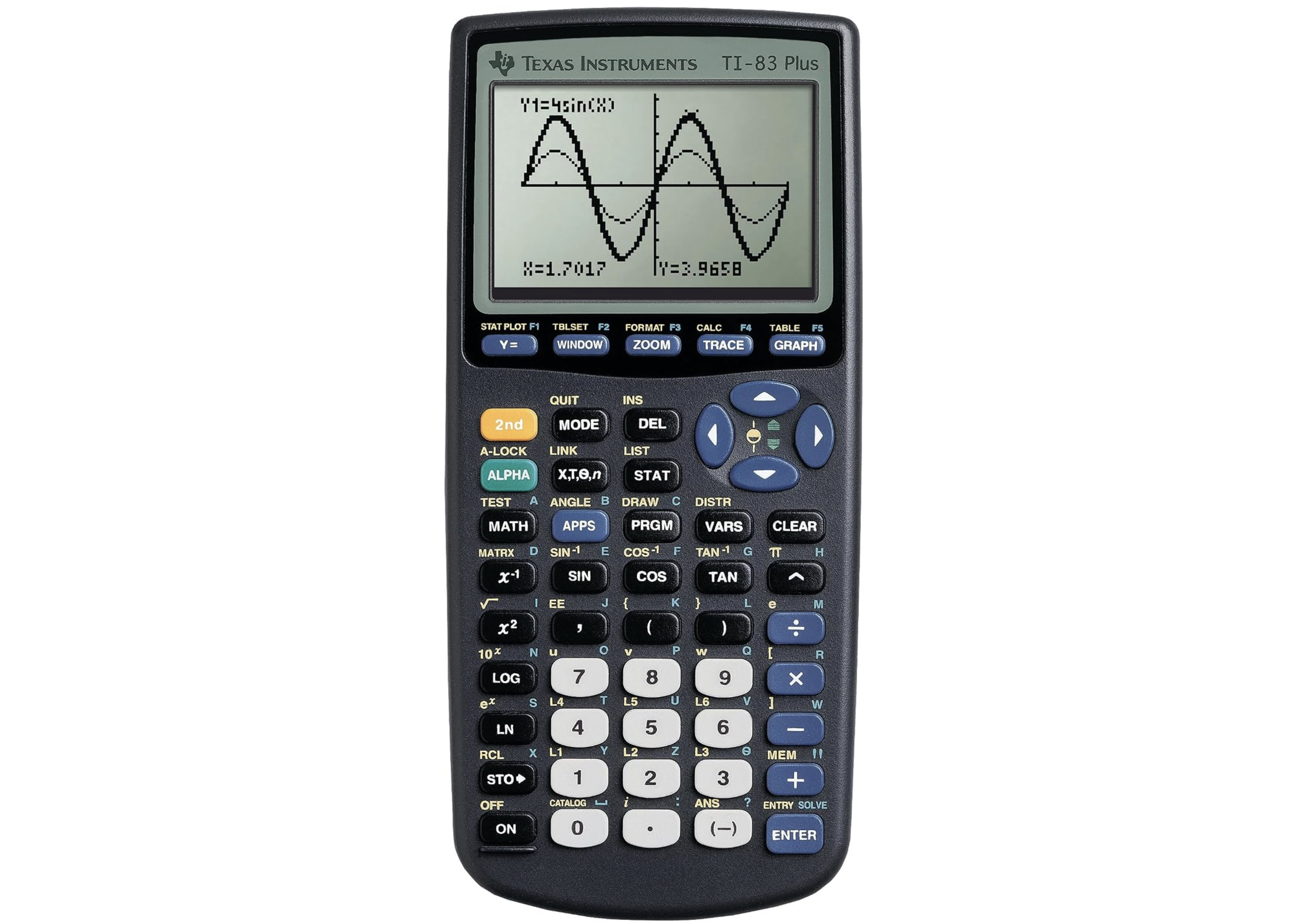
The TI-83 Plus is older than the TI-84 family, but it still provides many of the graphing and calculation tools students need for standardized-test math.
Students can graph equations, work with tables, perform statistical calculations, and complete many common high school math tasks.
If purchasing a new calculator today, I generally prefer the TI-84 Plus CE because of its more modern display, rechargeable battery, and long-term usefulness.
However, if a student already owns a TI-83 and knows it well, familiarity can be more valuable than switching to an unfamiliar calculator immediately before an exam.
TI-30XIIS
Best for Students Who Don't Need Graphing
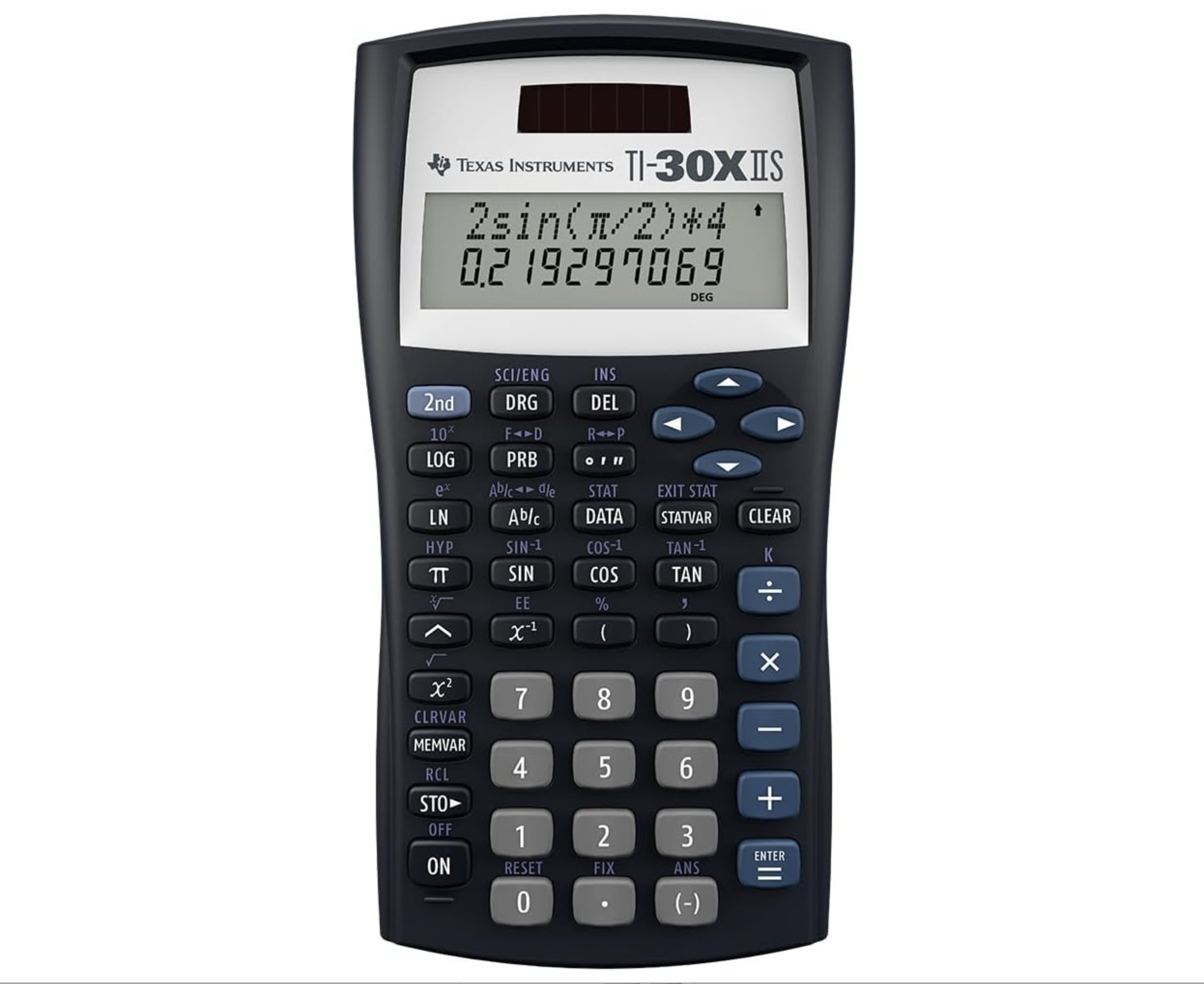
The TI-30XIIS is a straightforward scientific calculator and a strong choice for students who prefer simplicity.
It can handle:
Fractions
Exponents
Roots
Scientific notation
Trigonometric functions
Basic statistics
It does not graph functions, which limits some of the strategies available on a TI-84.
However, because students have access to Desmos during the digital SAT and ACT, a TI-30XIIS can work very well as a companion calculator. Students can use the handheld calculator for straightforward calculations and turn to Desmos when graphing is useful.
Don't Overlook Desmos
One of the most important developments in standardized testing has been the inclusion of Desmos directly within digital testing platforms.
The digital SAT includes an embedded Desmos calculator within Bluebook, giving students access to powerful graphing tools throughout the Math section.
The digital ACT also provides access to Desmos during the Math section.
Desmos is fantastic.
Students can use it to quickly:
Graph equations
Find intersections
Solve systems visually
Create tables
Analyze functions
Explore inequalities
Find zeros
Check algebraic reasoning
For some SAT and ACT questions, Desmos can be remarkably efficient when used strategically.
However, I do not necessarily recommend relying on Desmos exclusively.
A handheld calculator gives students another familiar option and can sometimes be faster for straightforward arithmetic, fractions, exponents, trigonometric calculations, or other problems that do not require graphing.
For many students, the best approach is to become comfortable using both Desmos and a handheld calculator.
The 2025 SAT Calculator Policy Change
An important calculator policy change took effect in 2025.
College Board no longer permits calculators with built-in Computer Algebra System (CAS) functionality on SAT Suite assessments.
CAS calculators can perform symbolic algebra, such as manipulating expressions, factoring algebraic expressions, or solving certain equations symbolically. These capabilities go beyond those of traditional scientific and graphing calculators.
The change means students should make sure their calculator complies with the current College Board policy before bringing it to the SAT.
Calculators such as the TI-84 Plus CE, TI-84 Plus, TI-83 series, and standard scientific calculators such as the TI-30XIIS do not have built-in CAS functionality and are generally appropriate options under the current rules.
Students can also choose to use the Desmos calculator built directly into Bluebook rather than bringing a handheld calculator.
Because testing policies can change, I always recommend checking the official College Board policy before test day.
ACT Calculator Rules
The ACT allows many standard four-function, scientific, and graphing calculators, provided they comply with the restrictions in the ACT calculator policy.
Calculators with prohibited CAS functionality are not allowed, and certain calculators may require programs or stored documents to be removed before testing.
Students taking the digital ACT also have access to the embedded Desmos calculator during the Math section.
As with the SAT, students should verify that their calculator complies with the current rules before test day.
Which Calculator Is Best for the SAT and ACT?
For most students, my recommendations are:
Best Overall: TI-84 Plus CE
Best Value Graphing Calculator: TI-84 Plus
Best If You Already Own It: TI-83 Plus
Best Scientific Calculator: TI-30XIIS
Best Free Digital Calculator: Desmos
But the most important recommendation is simpler:
Use a calculator you know well.
The most powerful calculator is not necessarily the best calculator if a student does not know how to use it efficiently.
Students should practice enough that common functions become familiar before test day.
Handheld Calculator or Desmos?
Ideally, learn both.
I encourage students preparing for the SAT and ACT to become comfortable using their handheld calculator for quick calculations while also learning the Desmos tools that can save substantial time on certain problems.
Desmos can be particularly useful for:
Systems of equations
Quadratic intersections
Function transformations
Inequalities
Finding zeros
Comparing equations
Visualizing mathematical relationships
Meanwhile, a TI-84 or scientific calculator may feel faster for:
Arithmetic
Fractions
Exponents
Solving algebraic equations
Trigonometric calculations
Basic statistics
The goal is not to use a calculator on every problem.
Instead, students should learn to recognize which tool provides the fastest and most reliable path to an answer.
That judgment develops through practice
Practice Before Test Day
Whatever calculator you choose, practice with it regularly.
Do not wait until the week before the SAT or ACT to learn calculator shortcuts, graphing windows, menus, or Desmos commands.
Official practice tests are one of the best ways to develop calculator fluency because they allow students to learn which types of questions benefit from technology and which are faster to solve by hand.
I also recommend combining official practice materials with a comprehensive test-prep resource. The Princeton Review SAT Premium Prep and Princeton Review Enhanced ACT Premium Prep books provide practice tests, content review, and test-taking strategies that can help students identify areas for improvement.
For additional tools, explore my recommended SAT and ACT books, calculators, and educational tools.
You can also explore more test-preparation and study resources on the Open Horizons Tutoring blog:
Need Help Preparing for the SAT or ACT?
Calculator strategy is only one part of successful test preparation.
At Open Horizons Tutoring, I help students identify their strengths and areas for growth, develop effective test-taking strategies, strengthen their math and reading skills, and create a preparation plan around their individual goals.
My goal is not simply to teach students how to answer a particular type of question, but to help them understand the strategies behind their work and approach test day with greater confidence and independence.
If you're not sure where to begin, I offer a complimentary 15-minute consultation to talk through your student's goals and determine the best next steps.
Every student’s path looks a little different. I’d be honored to help you take the next step with confidence.
This article contains affiliate links. If you purchase through one of these links, Open Horizons Tutoring may earn a commission at no additional cost to you. As an Amazon Associate, we earn from qualifying purchases.
